Questionnaire templates
Build and manage reusable, company-owned questionnaires that you reuse across supplier reviews.
Questionnaire templates are reusable questionnaire definitions owned by your company. You build them once and reuse them across any supplier review, instead of rebuilding the same questions every time. Managing templates requires the supplier:update permission.
How template ownership works
There are three tiers:
- Global templates — platform-owned, system-wide definitions that any company can copy into its own catalogue.
- Company questionnaires — your company's own reusable definitions. A company questionnaire is either copied from a global template or built from scratch (marked custom). Its questions are the reusable rows you maintain here.
- Review questionnaires — when a company questionnaire is added to a review, it is snapshotted into a per-review copy. Editing the company definition afterwards does not change a review already using it.
This is why a questionnaire you create ad-hoc inside a review also shows up in the Templates library as a custom template, and why later edits to a template don't retroactively alter in-flight reviews.
Open the Templates library
You can reach it two ways:
- Click Templates on the Suppliers list, or
- Click Manage templates from inside a review.
Both open the library at /suppliers/questionnaires. It is a master-detail page: the left rail lists every reusable template owned by your company (with its question count and date), and the right pane inspects the selected one.
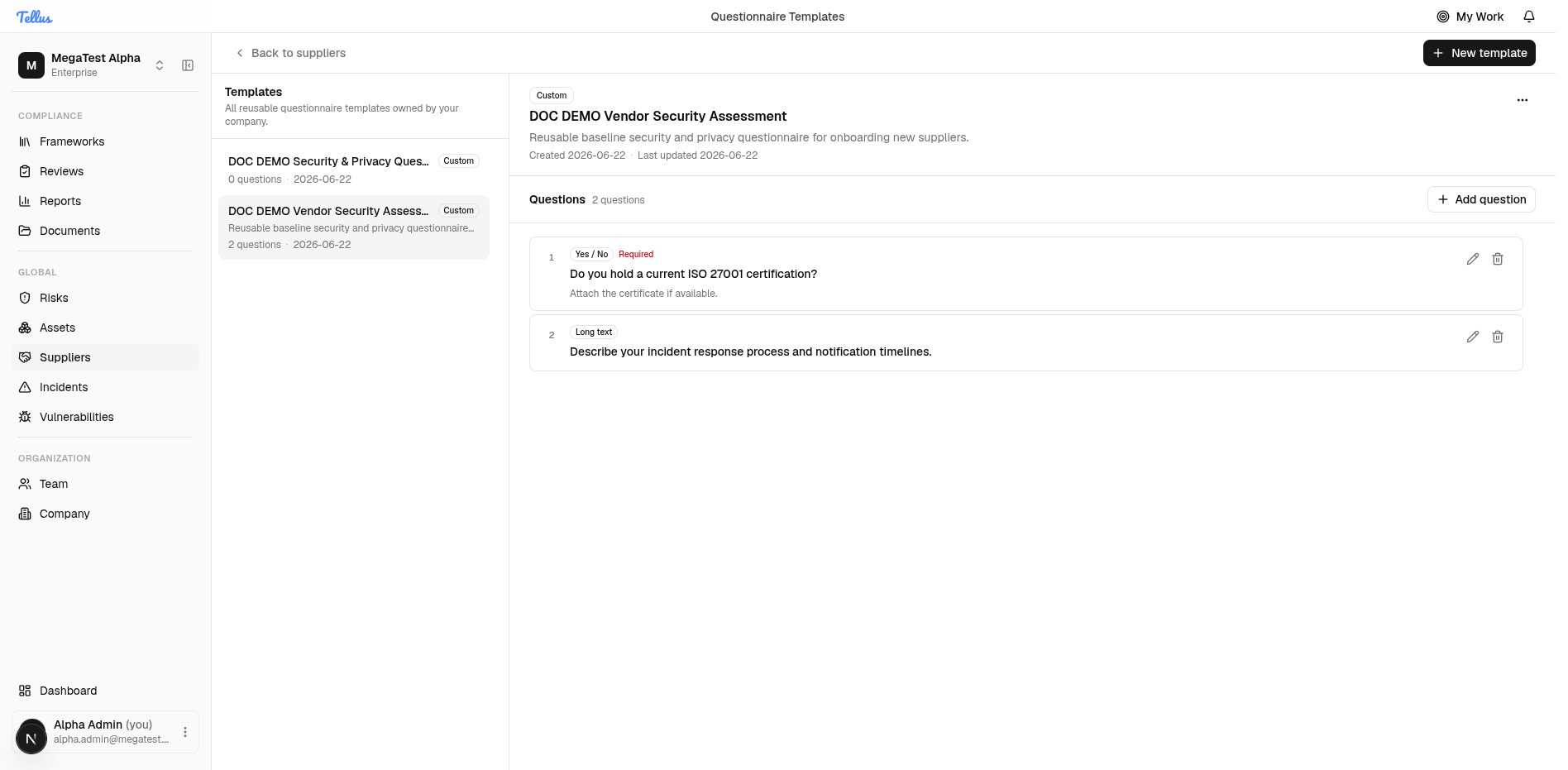
Create a template
- Click New template.
- Give it a name and an optional description.
- Create it. It opens in the detail pane with 0 questions.
Add and edit questions
The question editor is identical to the in-review one.
- On the template detail, click Add question.
- Set the prompt, pick a question type, add optional help text, toggle Required, and set the attachment policy.
- Save. Each question lists its type and Required flag, with Edit and Archive controls.
The available question types are text (Short text), textarea (Long text), boolean (Yes / No), singleSelect (Single choice), and multiSelect (Multiple choice). Beyond type, each question has an attachment mode of None, Optional, or Required (Required blocks the vendor from submitting that answer without a file). See Supplier reviews for the full reference on types and attachment modes.
Each question carries a stable key alongside its prompt, help text, options, validation, conditional-display rules, sort order, and required flag. The stable key lets answers stay associated with a question even as wording is refined across versions.
Using a template in a review
In a review, click Add questionnaire and pick the template. Until you publish your own, only the built-in Blank questionnaire is offered. Adding it snapshots a live copy into that review. See Supplier reviews.