Contracts
Record a supplier's legal and commercial agreements and track renewal and expiry dates.
The Contracts tab records a supplier's legal and commercial agreements — MSAs, NDAs, DPAs, SLAs, statements of work, and anything else. It is a tracking record for renewal and compliance visibility; Tellus does not enforce anything on a contract automatically. Managing contracts requires the supplier:update permission.
The Contracts tab
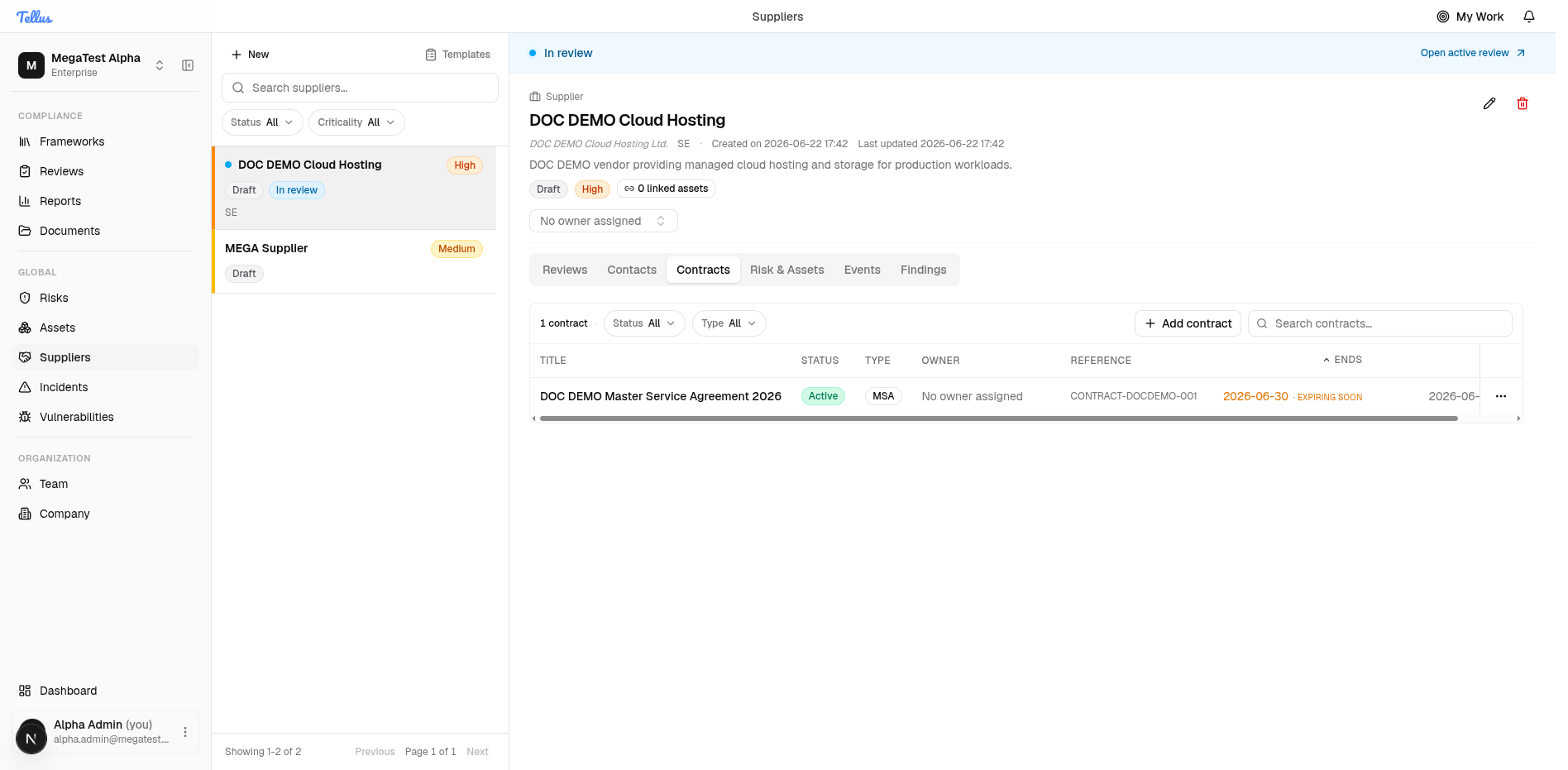
The tab is a table with columns for Title, Status, Type, Owner, Reference, Ends, and Updated, plus Status and Type filters and a search box.
Add a contract
- On the supplier detail, open the Contracts tab.
- Click Add contract.
- Fill in the dialog:
- Title (required).
- Contract type — defaults to MSA.
- Status — defaults to Active.
- Reference — your contract or document reference.
- Start date / End date — pick from the calendar.
- Notice period (days) — e.g. 90.
- Contract owner — the responsible user.
- Notes.
- Submit. The contract appears as a row in the table.
When a contract's end date is close to today, Tellus flags the row with an Expiring soon badge next to the Ends date. This is the mechanism that supports renewal tracking — there is no automated renewal action, the badge is a visual prompt.
Reference: types and statuses
Contract type (ContractType):
| Value | Meaning |
|---|---|
msa | Master Service Agreement |
nda | Non-Disclosure Agreement |
dpa | Data Processing Agreement |
sla | Service Level Agreement |
sow | Statement of Work |
other | Anything else |
Contract status (ContractStatus):
| Value | Meaning |
|---|---|
draft | Being prepared. |
active | In force. |
pendingRenewal | Up for renewal. |
expired | Past its end date. |
terminated | Ended early. |
Contract status and supplier status are different things despite sharing the words "draft" and "active". A contract's status describes that one agreement; the supplier's status (see Adding a supplier) describes the vendor record as a whole.
Contracts can be listed, opened, edited, and deleted from the tab.