Reviews
A personal queue of the risks and controls you own that are due for a recurring review, sorted soonest-first and bucketed by urgency.
Reviews is a single, focused queue of the risks and controls you own that have a recurring review scheduled. It exists so periodic check-ins never slip: every owned item with a next-review date appears here automatically, sorted with the soonest (and any overdue) item first, grouped by how urgent it is.
It is intentionally narrow. Reviews shows only your owned, scheduled items. For the full picture of everything you are accountable for — risk actions, incident tasks, supplier findings and contracts, regulatory deadlines — use My Work instead. The two are independent surfaces backed by different queries; Reviews is not a subset filter of My Work.
What appears here (and what does not)
The queue merges two sets of items that all share three properties — they belong to your company, you are the owner, and they have a scheduled next-review date:
| Item kind | Owner field that must equal you | Date that must be set |
|---|---|---|
| Risk | the risk's Risk owner | next review date |
| Control | the control's Assigned user | next review date |
Both conditions must hold. An item you own but with no review date will not appear, and a scheduled item you do not own will not appear. There is no per-member or team view — the queue is strictly yours.
Ownership is read from two different fields. Risks key on the Risk owner; controls key on the Assigned user. Reassigning either one moves the item between people's Reviews queues. If a risk is unassigned, it stays hidden from everyone's Reviews until an owner is set.
Open the Reviews list
- In the left sidebar, under the Compliance group, click Reviews.
- The page lists every risk and control you own that has an upcoming scheduled review, most urgent first.
- The footer shows a count for the current view (for example,
1 scheduled) and a refresh button (the circular-arrow icon) to re-check for newly due items.
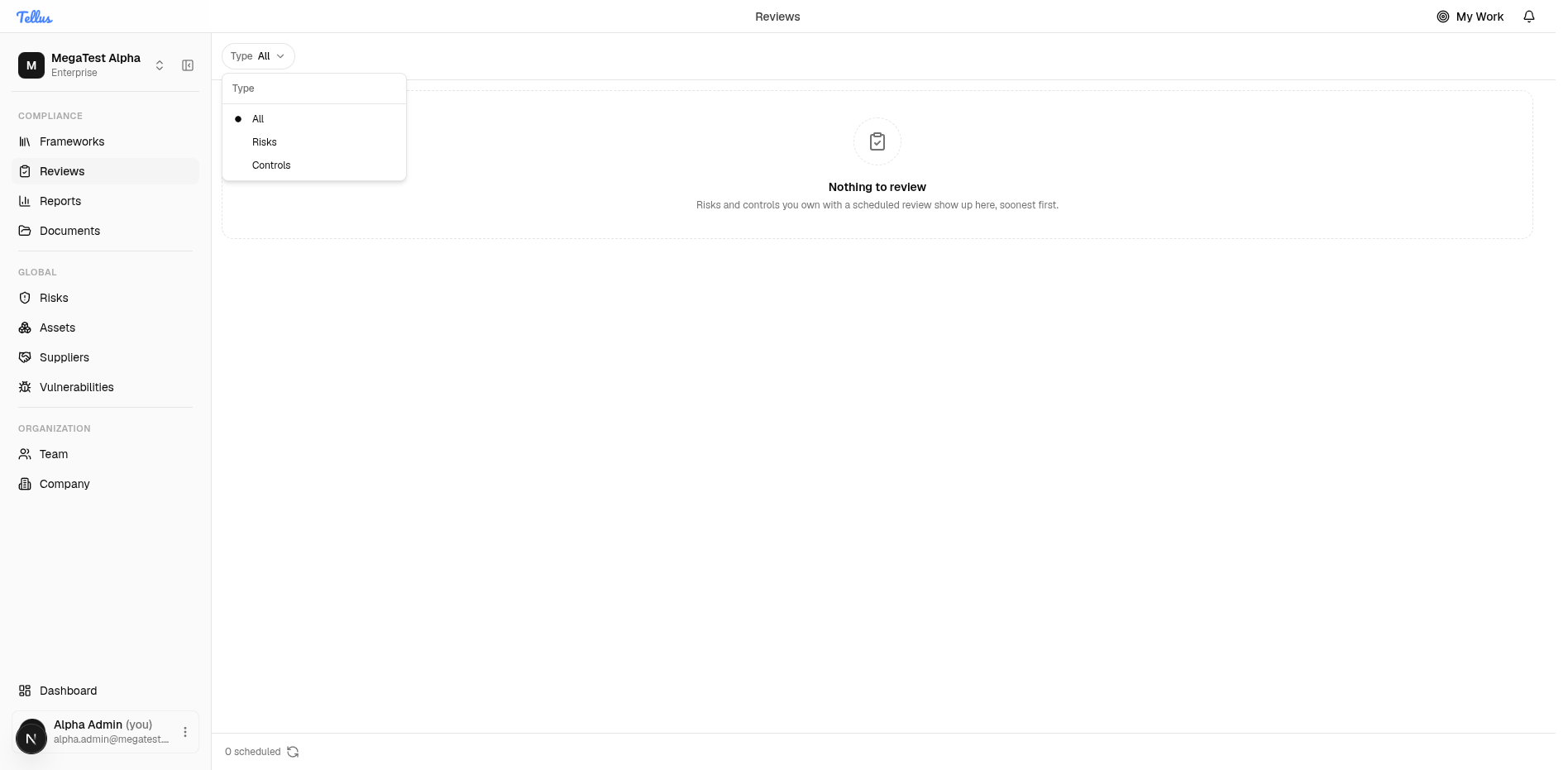
When you have nothing due, the page shows a Nothing to review empty state with the note that "Risks and controls you own with a scheduled review show up here, soonest first." and a 0 scheduled footer.
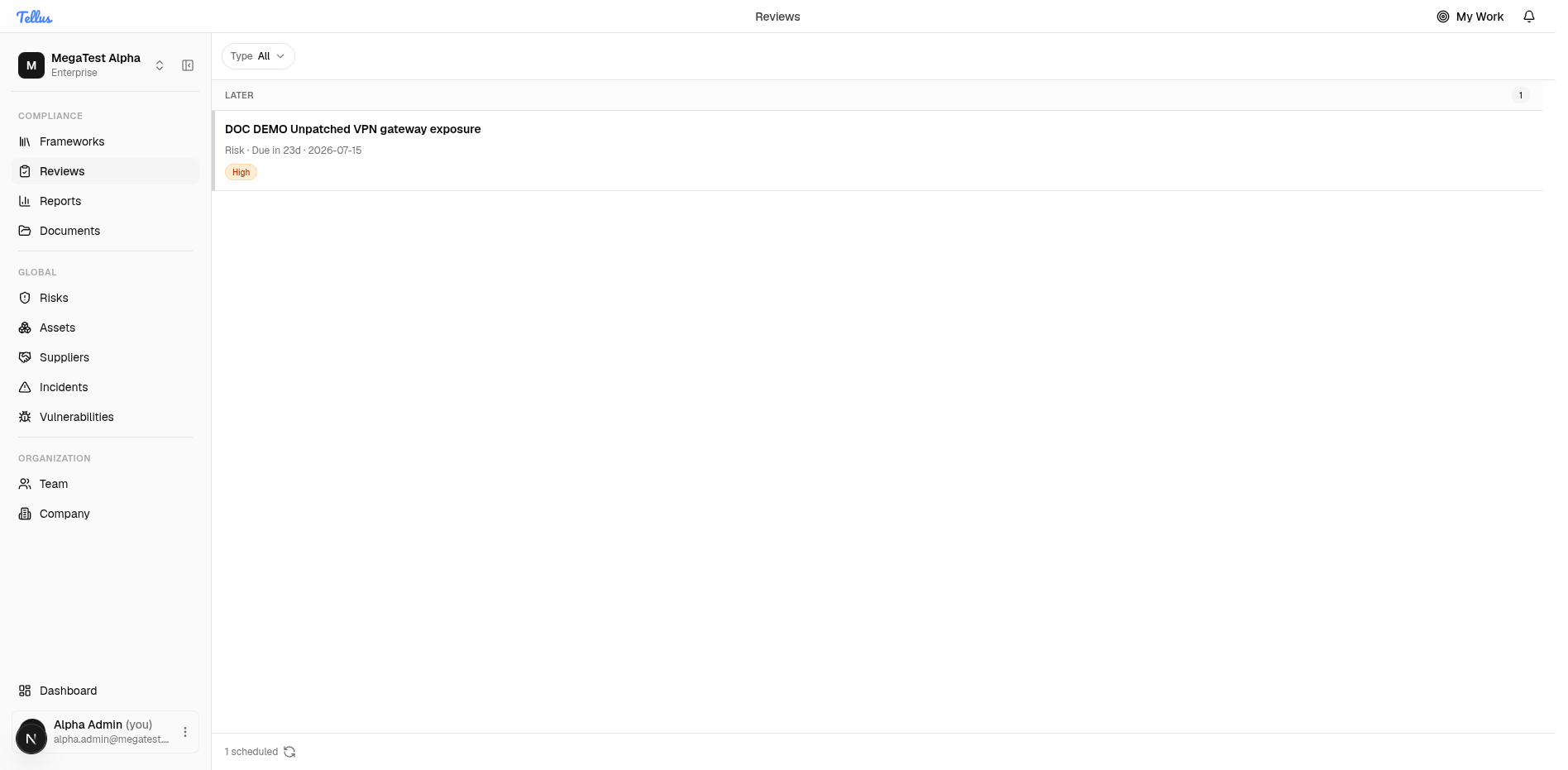
Grouping and sort order
The backend returns the merged list ordered by next-review date ascending — soonest first, so overdue items (a past date) come first. The page does not re-sort; it only buckets the already-ordered list into three groups by the number of whole days until the date:
| Group | Condition | Meaning |
|---|---|---|
| Overdue | days < 0 | the review date is in the past |
| Due soon | days ≤ 7 | due within the next week |
| Later | days > 7 | due more than a week out |
Groups render in that fixed order with a count badge; an empty group is hidden.
Bucketing is done in your browser using your local midnight, while the stored review date is a UTC timestamp. An item due near midnight can land in a different bucket than a naive UTC calculation would suggest. Refreshing recomputes the buckets against the current day.
Reading a row
Each row shows the kind (Risk or Control), a relative due label, and the absolute date. The label is one of: Overdue by {n}d, Due today, Due tomorrow, or Due in {n}d. The row's color tone tracks urgency — a past date is shown as critical, within seven days as a warning, otherwise neutral.
A colored level badge appears when present. For a risk this is its risk level (low / medium / high / critical); for a control it is the control's priority. The API returns both under a single field, so the badge means different things depending on the row's kind.
Filter by type
- Click the Type filter chip at the top of the page.
- Choose All (default), Risks, or Controls.
- The list updates immediately.
This filter runs entirely in the browser against the already-loaded list — it does not refetch. The footer {count} scheduled reflects the filtered subset, not the grand total.
Completing a review
There is no complete-review button on the Reviews page itself. The only action a row offers is to open the underlying entity:
- A risk row opens its risk page (
/risks/{id}). - A control row opens its control inside the framework. A control with no associated framework is shown but not clickable.
You complete the review on that entity's own page.
Completing a risk review
- Click the risk row to open the risk.
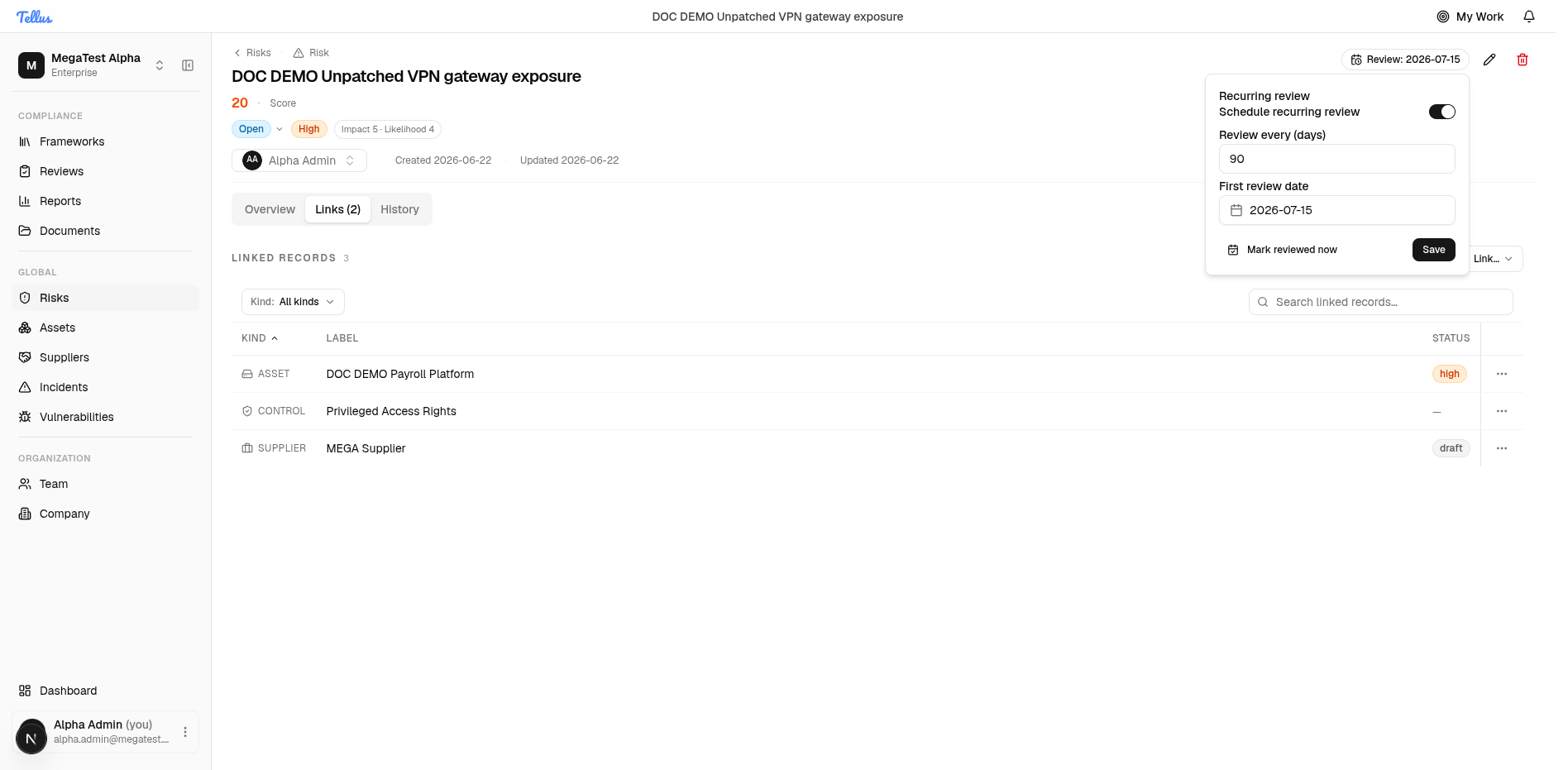
- In the risk header, click the Review chip (it shows the next-review date) to open the Recurring review dialog.
- Confirm the schedule — the Schedule recurring review toggle, Review every (days), and First review date — then click Mark reviewed now.
This stamps the last-reviewed date to now and rolls the next-review date forward by the interval (next date = today + interval). The item stays in your queue with its new date; for example, a 90-day cadence moves a 2026-07-15 review to 2026-09-20.
Completing a control review
Controls have no standalone "mark reviewed" action. Completing a control's assessment — accepting or finalizing it — is what counts as completing the review. The same last-reviewed and next-review fields advance by the control's interval as a side effect. See Assessments for the assessment flow.
The next review always advances from the completion date, not from the previous due date. Reviewing an overdue item late does not "catch up" to the original cadence anchor — the clock restarts the day you complete it.
Setting or turning off the cadence
The recurring cadence is part of a risk or control. You set it when creating or editing the item, or from the Recurring review dialog described above. The rules:
- Interval > 0 — turns recurring review on and schedules the first review. The first date is the one you supply, or the existing date, or today + interval if neither is set. Valid range is 1–3650 days.
- Interval = 0 — turns recurring review off and clears both the interval and the next-review date.
- Left unchanged — no effect.
Setting the interval to 0 (or completing a review when there is no positive interval) clears the next-review date, which silently removes the item from your Reviews queue and stops its reminders. Re-enable it by setting a positive interval again.
Reminders
Opening the Reviews page does not send anything. A background worker separately scans for due reviews and turns them into in-app notifications, email, and live push:
- The owner is notified when assigned. If an item is unassigned, the company's admins receive an "unassigned" variant instead.
- Overdue and due-soon reviews are distinct messages.
- Notifications are deduplicated per item, due date, and recipient, so a re-scan never re-sends the same reminder.
This reminder behavior is invisible on the Reviews UI — Reviews is the live queue, reminders are the nudge.
Related
My Work
The broader, consequence-ranked workspace covering every obligation you own — not just scheduled reviews.
Risks
Set a risk's owner and recurring review cadence, and mark it reviewed.
Frameworks & Controls
Assign controls and complete control assessments, which advance the control's review schedule.