Assessments & control status
Running an assessment and exactly how accepting it sets a control's status, score, and maturity — plus review scheduling, evidence locking, and staleness.
An assessment is a point-in-time evaluation proposal for one control. It carries a proposed status, implementation score, maturity, and notes — and it does nothing to the control until it is accepted. This two-step gate is the single mechanism that moves a control's status, score, and maturity.
How control status actually works
There is no rule anywhere that derives status from score or score from status. When a reviewer accepts an assessment, Tellus copies the assessment's values onto the control:
- the control's status becomes the assessment's status,
- its implementation score becomes the assessment's score,
- its maturity becomes the assessment's maturity.
Any field the assessment leaves unset leaves that field on the control unchanged. That is the whole write path — nothing is computed.
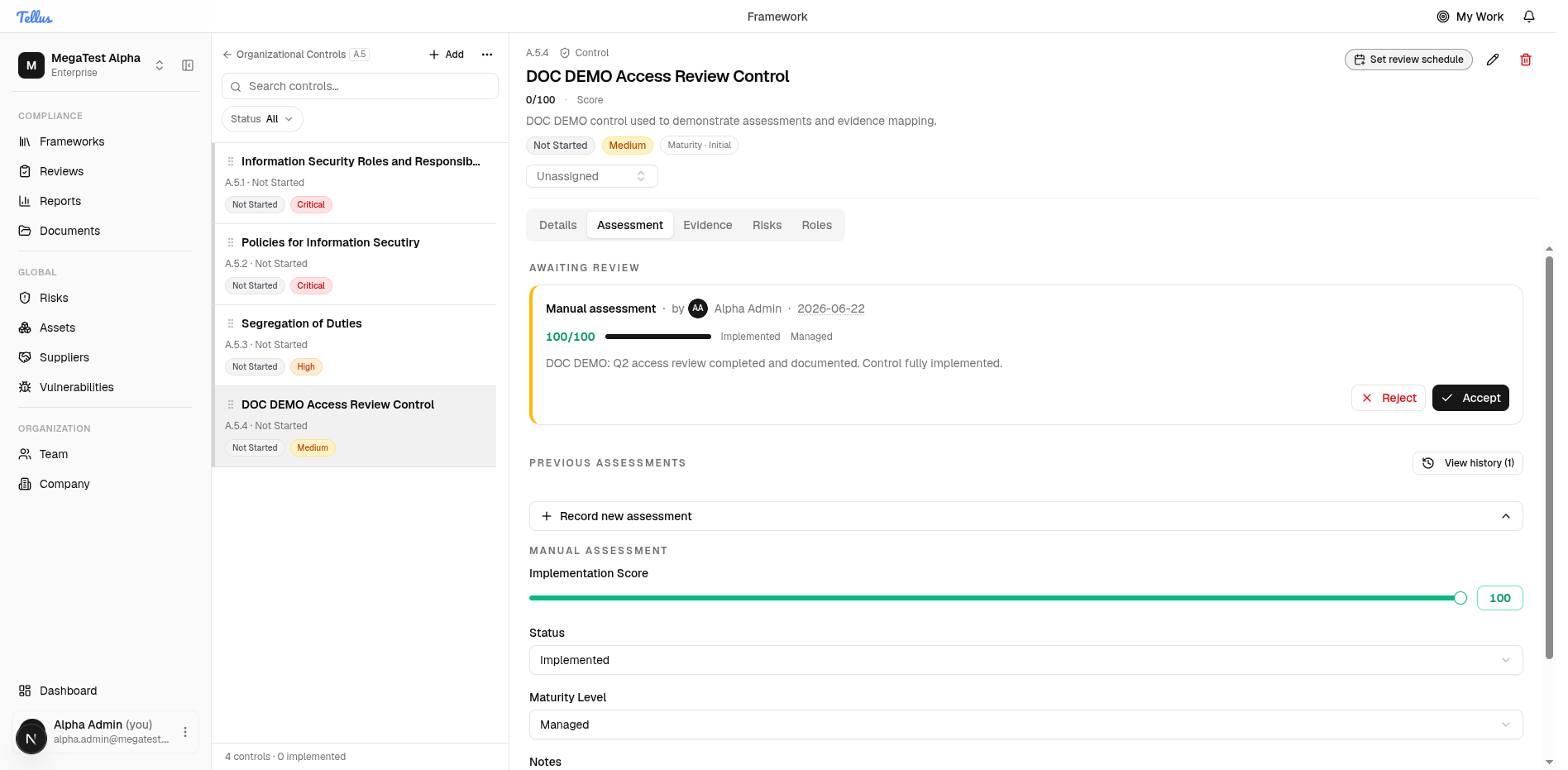
Creating or submitting an assessment changes nothing. The control keeps its old score and status until someone with the right permission clicks Accept. Rejecting leaves the control untouched.
The three values you set
| Value | Range / options | Notes |
|---|---|---|
| Implementation score | 0–100 | A slider in the manual form, rounded to a whole number. Stored as a decimal and rounded for display, so don't treat it as exact to two decimals. The UI colours the score red at 33 or below, amber 34–66, green 67+ — a display convention only. |
| Status | Not Started, In Progress, Implemented, Partial, Not Implemented, Not Applicable | The six values the form offers. |
| Maturity level | Initial, Managed, Defined, Measured, Optimizing | Optional (leave it as not available). A 5-level CMMI-style scale, independent of status and score. |
Run an assessment
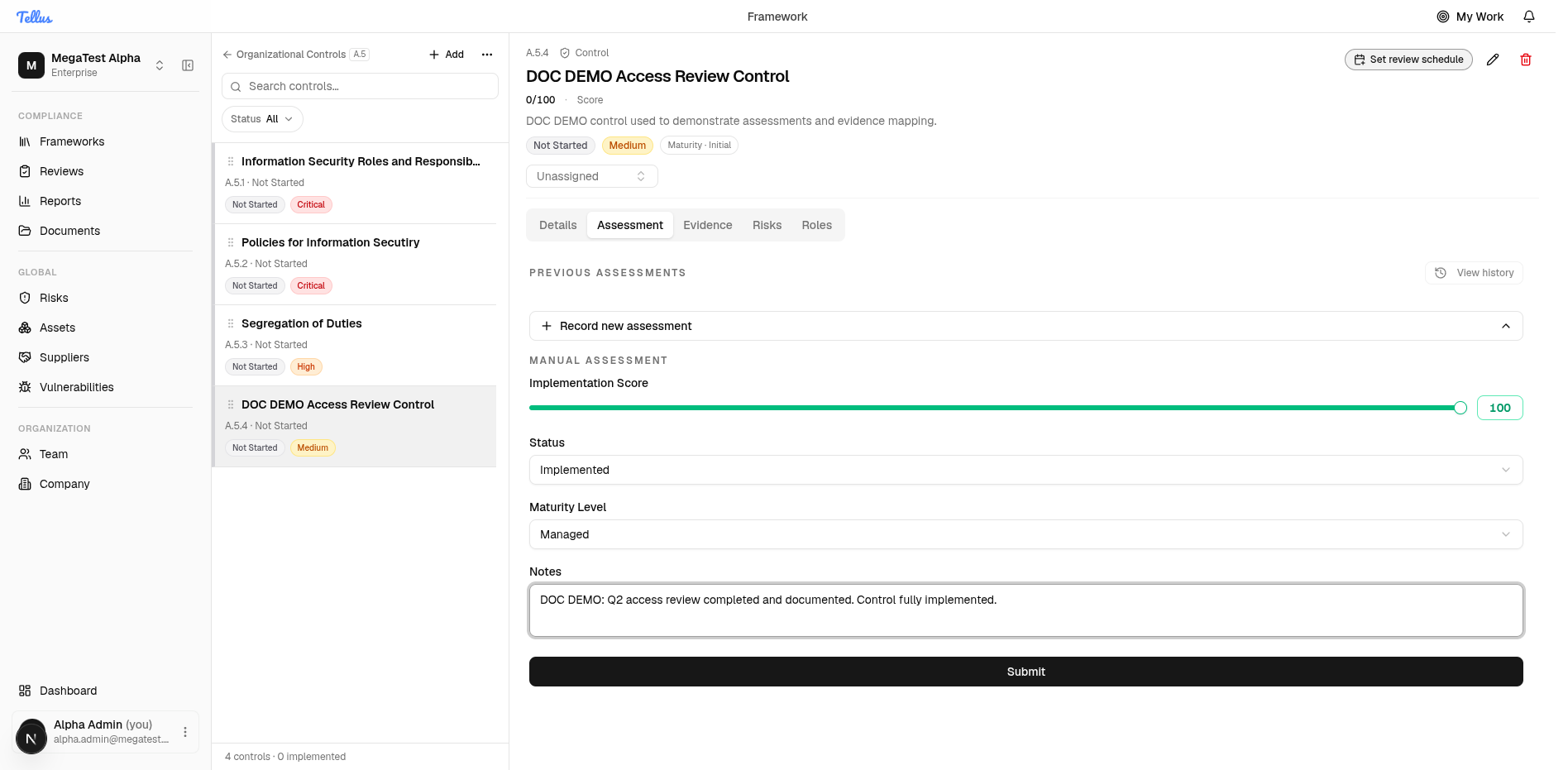
- On the control, open the Assessment tab (or click Start assessment in the header).
- In the Manual Assessment form set the Implementation Score, Status, and optionally Maturity Level, and add notes explaining the evaluation.
- Click Submit.
The assessment is recorded in an Awaiting review state showing the proposed values, the author, and the date, with Accept and Reject buttons. The control header still reads the old values at this point — submitting does not change the control.
Accept or reject
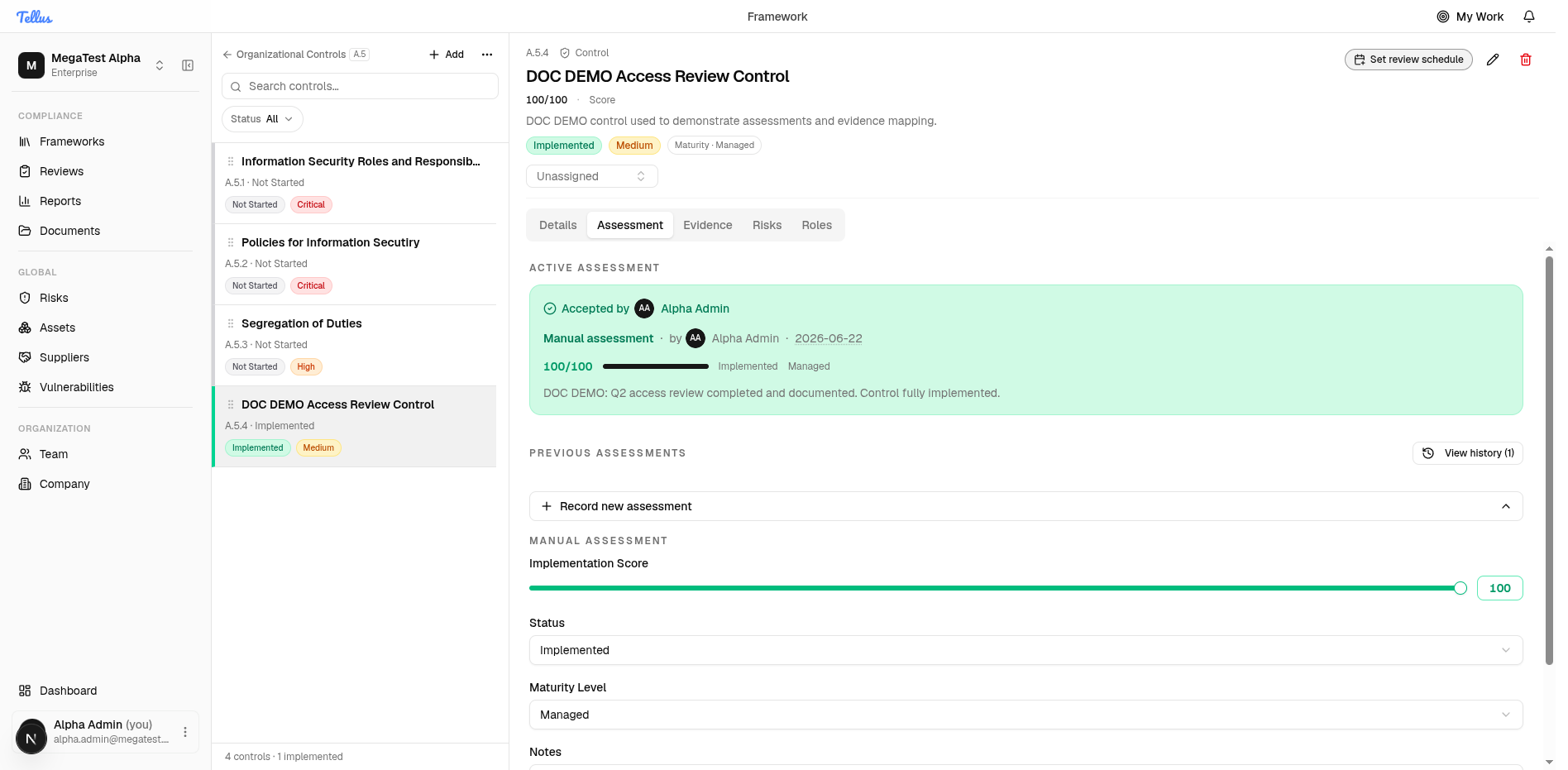
Click Accept to apply the assessment's values to the control, or Reject to discard the proposal and leave the control unchanged. After acceptance the header updates immediately — e.g. to Score 100/100, status Implemented, Maturity · Managed — and the section's control count and the framework's completion roll up from accepted assessments (so the section reads, for example, 4 controls · 1 implemented).
Accept and reject are blocked once an assessment is already accepted, rejected, or superseded.
Side effects of accepting
Accepting does more than set the three values:
- Review schedule. It stamps last reviewed to now and advances the next review date by the control's review interval. A control with no positive interval has recurring review off, and this is a no-op. See Reviews.
- Evidence lock. Every evidence file reachable through the accepted control's requirement mappings is locked. Locked evidence cannot be deleted, protecting the approved audit trail.
Superseding older assessments
What accepting a new assessment does to other active assessments on the same control is governed by a per-company setting:
| Strategy | Effect on other active assessments |
|---|---|
no_override | Nothing — they stay active. |
latest_overrides_all | All other active assessments are marked superseded by this one. |
chronological_only | Only assessments started earlier than this one are superseded. |
A superseded assessment is one replaced by a newer accepted assessment; it no longer drives the control.
Stale assessments
If a locked evidence file is later version-bumped, the assessment that locked it is flagged stale. The assessment stays accepted, but the staleness flag signals that the evidence behind the approval changed. A reviewer must re-accept the assessment to clear it. (The locked file still cannot be deleted.)
The control workspace
A control's header facts, the Details/Assessment/Evidence/Risks/Roles tab row, and editing the owner and details inline.
Evidence & requirements
Defining evidence requirements, uploading files, mapping them to requirements, and exactly how the Requirements Completion bar is calculated.