Coordinated vulnerability disclosure
How vulnerability reports reach Tellus through the CVD portal, what the Vulnerabilities register shows, and where to work each report.
The Vulnerabilities area is your coordinated vulnerability disclosure (CVD) workspace: the place where security weaknesses reported about your products or services are collected, triaged, and tracked through to a fix and public disclosure. In the sidebar it lives under the Global group as Vulnerabilities; internally the feature and its records are called CVD and CVD reports, so you'll see both terms. A "vulnerability" and a "CVD report" are the same record.
Each report carries a status, a severity, a source (external or internal), a two-way message thread with the reporter, an optional public advisory, and links into the rest of your GRC graph. This page explains how reports arrive and what the register shows; the sibling pages cover the day-to-day work.
What you'll see as a member
This area is effectively admin-only. The screenshots throughout this section are from an admin's perspective. As a regular company member you won't see Vulnerabilities in the sidebar at all — the entry and every page here require the cvd:view permission, which only Company Admins and Incident Managers hold. Even users who can view the register cannot create reports, advance the workflow, message reporters, link records, publish advisories, or delete unless they also hold those individual action permissions, which by default sit with the same two roles. See Who can see and act on vulnerabilities below.
Triaging a report
Log a report, work it through the five workflow statuses, message the reporter, and publish an advisory.
Linking & remediation
Connect a vulnerability to the risks, controls, and assets it touches.
How reports reach you
A vulnerability enters Tellus one of two ways, recorded on the report as its source:
- External — a security researcher submits it through your public CVD portal. These reports are marked External and are subject to the coordinated-disclosure clock (see below).
- Internal — a member of your team logs an issue your own people discovered, using the + Report button in the register. These are marked Internal and are excluded from the disclosure clock.
Both paths create the same kind of record, start in the Received status, and seed the message thread with the reporter's original description as the first inbound message.
The public CVD portal
The portal is a separate, researcher-facing website (your deployment is reachable at cvd.application.alxias.se). It is not part of the Tellus app you log into — it is the front door for outside reporters — so it works differently from the rest of the product:
- No accounts or passwords. A researcher enters any email address, receives a 6-digit one-time code, and verifies it to get a short-lived session. There is no allow-list: any email can sign in. A researcher's name and organization are optional, self-reported fields, so treat reporter identity as unverified beyond the email.
- Per-company opt-in. Researchers submit to a specific company, and submissions are accepted only if that company has enabled CVD in its settings. Enabled companies also appear in the portal's public directory so researchers can find them.
To accept external reports, an administrator must turn on the CVD portal for your company. Open Company → Settings and enable the coordinated vulnerability disclosure option. Until it is enabled, your company does not appear in the portal directory and researchers cannot submit to you (the portal returns a "not enabled" error).
The register
Opening Vulnerabilities loads a two-pane master/detail view:
- Left — the report list. A + Report button, a Search reports… field, and a Status filter sit above the list. Each row shows the report's severity, status, and source badges.
- Right — the detail pane. Selecting a row loads the report's header (reporter, received time, affected component and versions, description, and its status / severity / source badges), a Delete action, and four tabs: Thread, Advisory, Workflow, and Links.
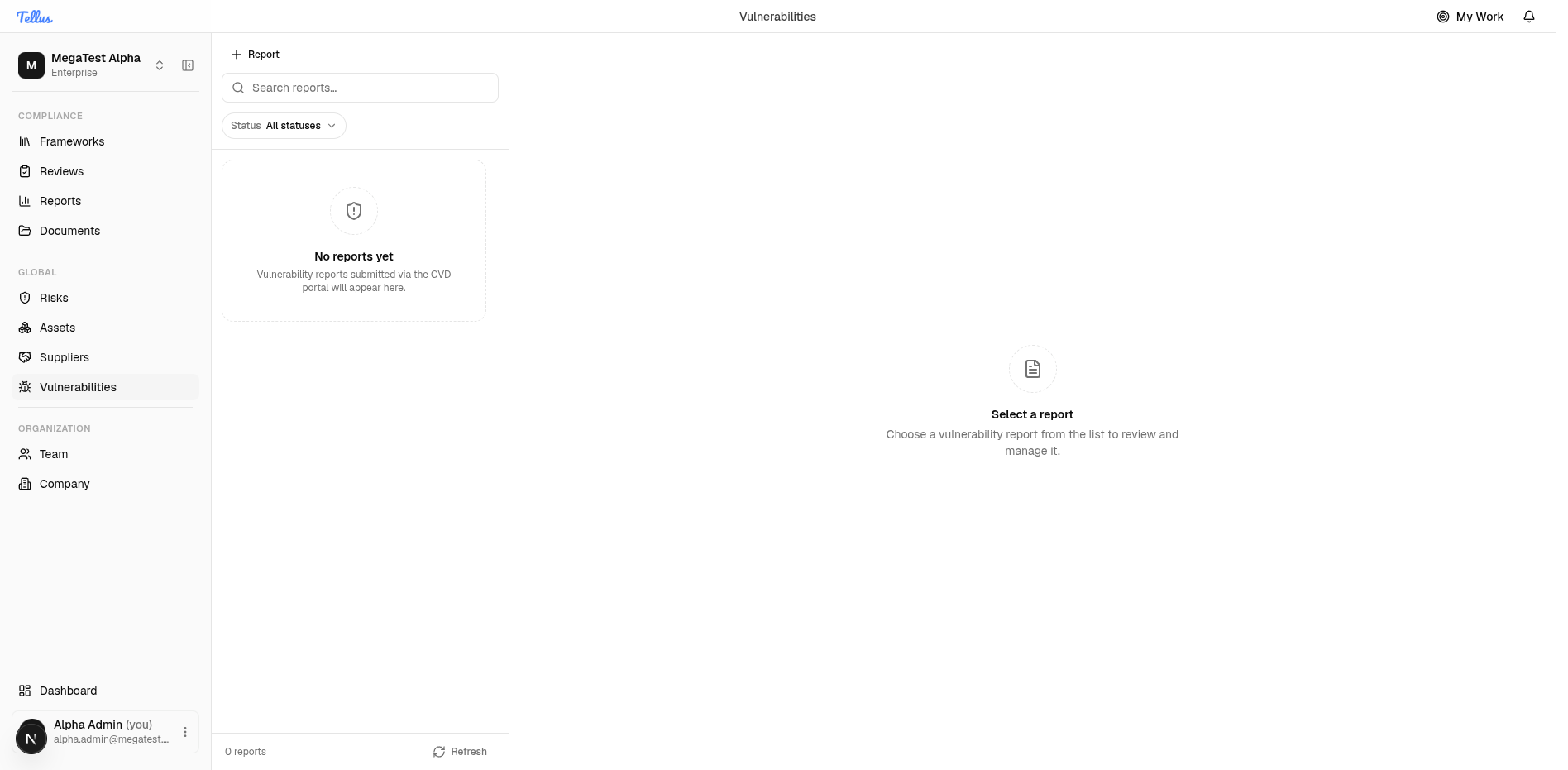
Before any reports exist, the list shows an empty state — "No reports yet — Vulnerability reports submitted via the CVD portal will appear here" — and the detail pane prompts you to "Select a report". The list fills in as external reports arrive and as you log internal ones.
Filtering and searching
- The Status filter narrows the list to a single lifecycle stage: All statuses (default), Received, Triaged, Fix in progress, Fix shipped, or Disclosed.
- The Search reports… box filters by keyword and combines with the status filter — for example, every "Fix in progress" report mentioning a particular component.
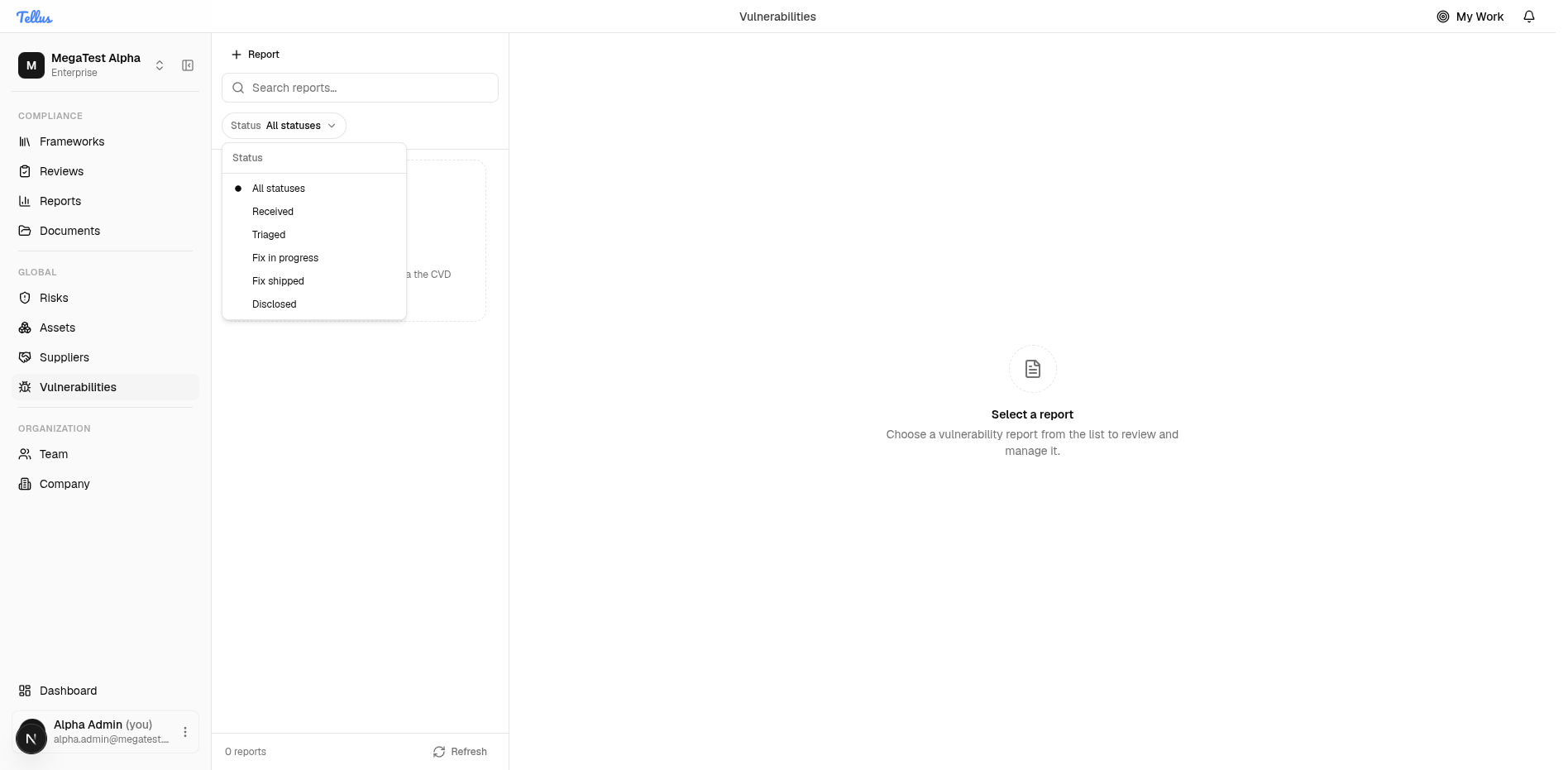
Who can see and act on vulnerabilities
The Vulnerabilities sidebar item appears for anyone holding the cvd:view permission. Individual actions are gated separately — creating, transitioning, commenting, linking, publishing an advisory, and deleting each require their own permission. By default the operational set is granted to the Company Admin and Incident Manager roles.
The Incident Manager role can work vulnerabilities, but that is purely a permission relationship. There is no data link between a vulnerability and an incident — a vulnerability can be linked to risks, controls, and assets, but never attached to an incident record. See Linking & remediation.