Company settings & security
The company profile and the Security tab — MFA policy, assessment override strategy, incident reporting, reporter domains, and the CVD program.
The Company area is where you manage the organization's profile and its security policies. Click Company in the sidebar's Organization group; the route /company redirects to /company/settings. (The member directory is not here — it lives at Team.)
What you'll see as a member
The screenshots here are the admin view. Company Settings is admin-only. A regular member who reaches /company directly lands on a near-blank page with no tabs, fields, or Save changes button — none of the sections below are visible to them. Editing the profile or security policies requires company admin.
The settings workspace has a left nav with these sections:
| Section | Contents | Visible when |
|---|---|---|
| General | Editable name and description; read-only created date and company ID. | Always (for those who can reach Company). |
| Security | MFA policy, assessment override strategy, incident reporting, reporter domains, CVD program. | Reading needs company_settings:read. |
| Access | Company-wide role assignments. | Only with permissions:read / permissions:update. |
| Advanced | Placeholder. | Always. |
| Registry | Registry management. | Only with registry:read / registry:manage. |
General — the company profile
The General tab shows the company Name and Description as editable fields, plus read-only Created date and Company ID cards. Edit the name or description and click Save changes — the button activates only once you make an edit.
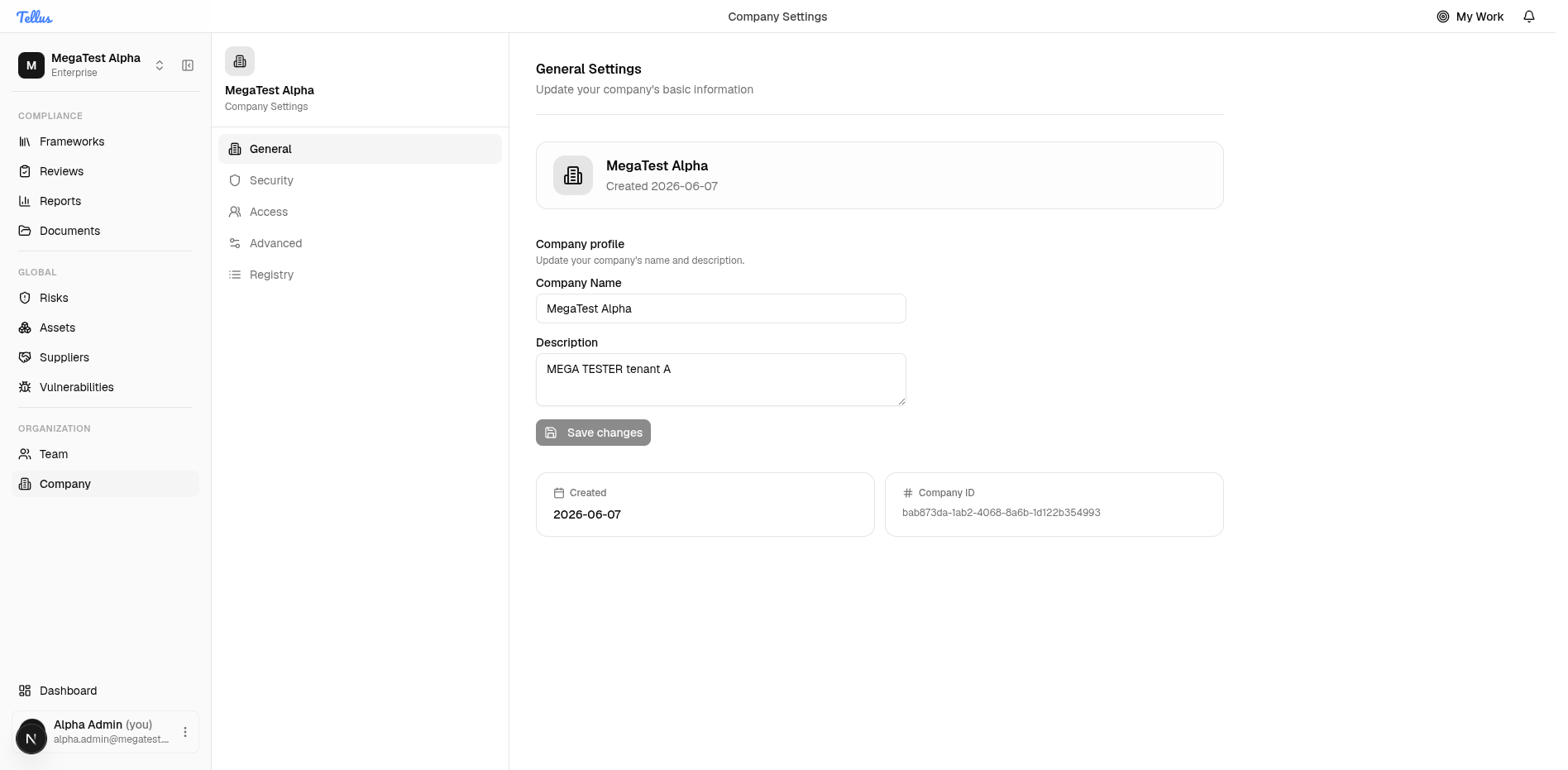
General is the only tab with an explicit Save button. On the Security tab, each setting saves independently and optimistically the moment you change it (an immediate PATCH that reverts if the server rejects it).
Security — organization policies
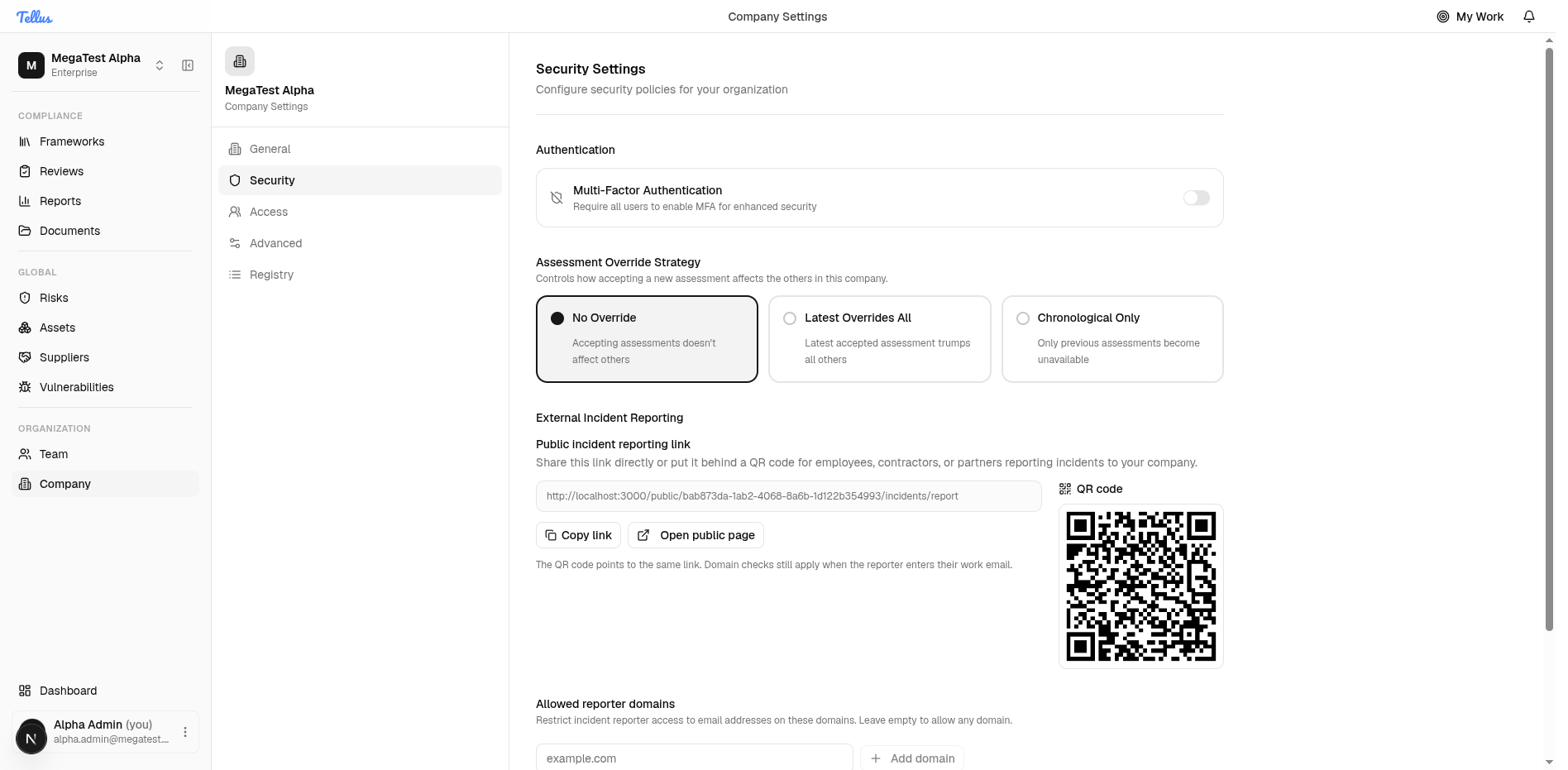
The Security tab stores its values as a JSON blob on the company record. Reading the tab needs company_settings:read; editing needs company_settings:update — without update, the controls render disabled.
Multi-factor authentication
At the top under Authentication is the Multi-Factor Authentication policy — "Require all users to enable MFA for enhanced security" — with an on/off toggle.
Two different MFA concepts
There are two separate MFA settings in Tellus:
- Per-user MFA — a flag on each user's account. When it is on, logging in returns an MFA-required result: the server emails a 6-digit code and the user must verify it (verification is rate-limited) before getting a full session.
- Company MFA policy — the toggle on this Security tab. It is an organization policy stored separately from any user flag.
Confirmed effects of turning the company policy on: a user cannot disable their own MFA while the policy is on (the toggle is blocked with a conflict), and new users created in the company get MFA enabled. No mechanism was found that retroactively flips MFA on for existing users the instant the policy is switched on — treat it as a forward-looking policy plus a lock on opting out, not an instant org-wide switch.
Assessment override strategy
Controls how accepting a control assessment affects other assessments:
| Value | Behavior |
|---|---|
no_override | Accepting an assessment leaves others untouched. |
latest_overrides_all | The latest accepted assessment overrides the rest. |
chronological_only | Overrides apply in chronological order only. |
External incident reporting
A public incident-reporting link with Copy link, Open public page, and a live QR code, so people outside Tellus can report incidents to you.
Allowed reporter domains
An allowlist of email domains (for example, who may report incidents), edited as tags. Each entry is validated as a DNS hostname.
CVD program
A toggle for the Coordinated Vulnerability Disclosure portal. There is a companion security-portal switch in the same settings blob.
Access — company-wide role assignments
The Access tab manages company-scoped role bindings — the company-level counterpart to a framework's own Roles page. It is shown only to users with permissions:read / permissions:update. For the full role model, scoped roles, ownership relations, and who may grant what, see Roles & permissions.
Related
- Team & members — the member directory and security status.
- Roles & permissions — scopes, roles, relations, and the escalation guard.
- Inviting members — bringing new people into the company.