The peek popover
The At risk now quick-view that drops from the top-bar My Work button — triage your most pressing obligations without leaving the page you're on.
The peek popover is the fast triage surface for My Work. It hangs off the My Work button in the top bar (the target icon) and shows your At risk now zone in place, so you can check what is breached or imminent mid-task without navigating to the full workspace.
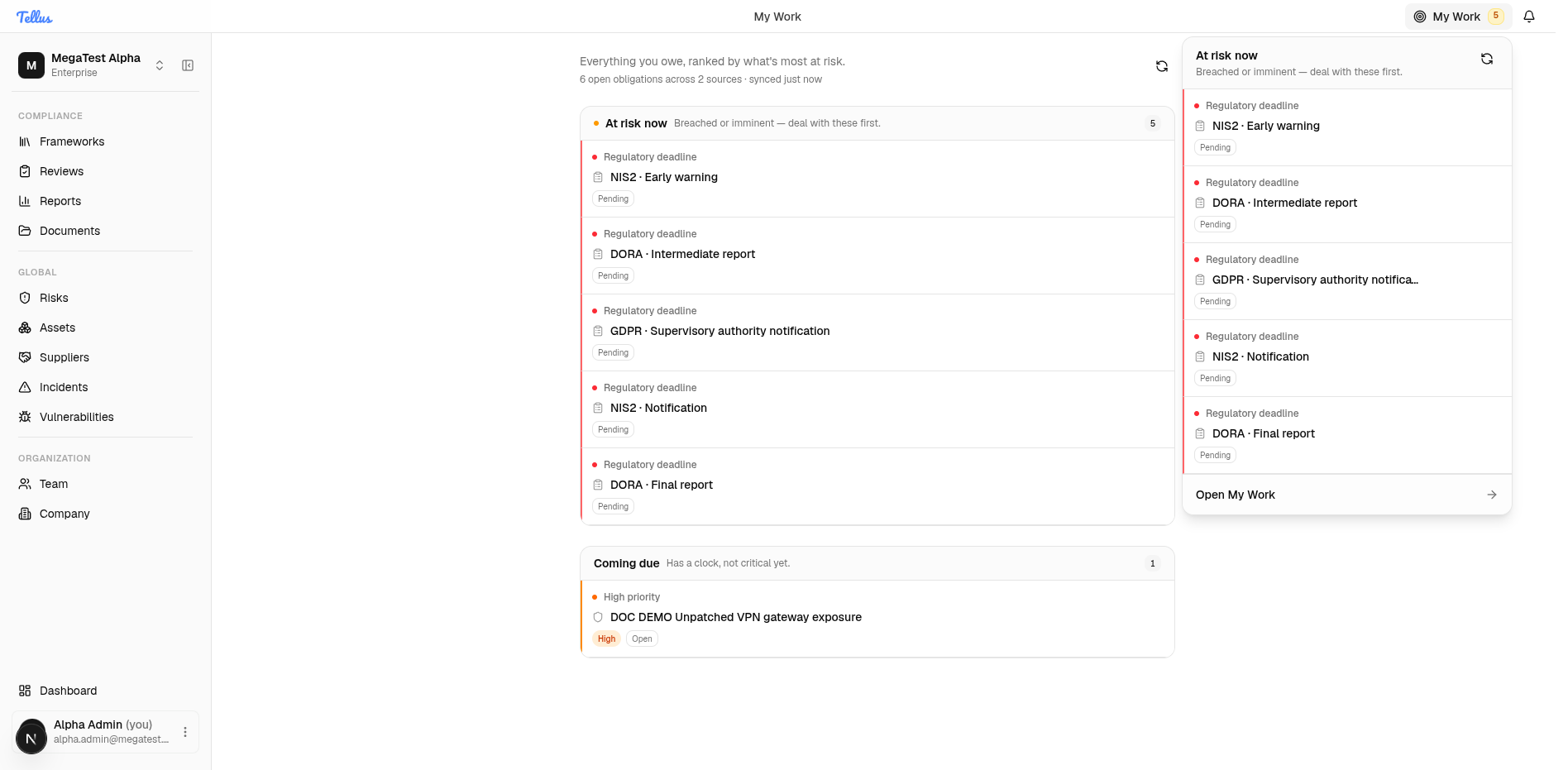
The header button and badge
The My Work button is always present in the top bar. When you have at-risk items it carries a count badge; when that count is zero the badge is hidden. The badge counts only the At risk now zone — regulatory deadlines, overdue items, and items due today — not your full backlog.
Opening and using the popover
- From any page, click the My Work button in the top bar.
- The popover opens anchored to the button, headed At risk now — Breached or imminent — deal with these first, listing your most urgent obligations (for example, pending regulatory deadlines such as NIS2 · Early warning or DORA · Intermediate report).
- Act on a row in place where the type allows it, or click a row to deep-link to its module page.
- Click Open My Work in the footer to jump to the full workspace at
/my-work. - Click the My Work button again to close the popover.
The popover refreshes its data every time you open it, so what you see is current as of that click.
When nothing is at risk, the popover does not show an empty "you're clear" state — it falls back to your Coming due items instead, so a glance still surfaces the next thing worth your attention.
What you can do from here
Rows behave exactly as they do on the full page. The four act-in-place types — incident tasks (mark complete), supplier findings (resolve, or acknowledge a follow-up assigned to you), supplier reviews (close), and risk treatment actions (complete) — can be finished inline; controls, risks, and contracts deep-link out. These actions are optimistic: the row disappears immediately and reverts with a toast only if the server rejects it.
Filing a regulatory notification ("mark filed") is the exception — it requires explicit confirmation, and it is disabled outright when the incident's regulatory context is missing required fields for that framework and stage. The blocking field tokens (for example nis2.competentAuthority) are listed on the row so you know what to complete first.
The popover mirrors At risk now only. High- and critical-priority work without an imminent clock lives in Coming due and won't appear here unless it's the fallback view; open the full page to see your whole queue and the collapsed Unscheduled backlog.
Peek vs. the full page
| Peek popover | Full page | |
|---|---|---|
| Where | Drops from the top-bar button | /my-work |
| Shows | At risk now (or Coming due as fallback) | All three zones |
| Refresh | On every open | On mount + manual Refresh |
| Best for | A fast urgency check mid-task | Working through everything in order |
For the full ranking model, the tier-to-zone mapping, and the complete list of obligation sources, see My Work.
My Work
Your personal accountability workspace — every open obligation you own, ranked by real-world consequence, with an explanation of why each item sits where it does.
Team & members
The Team workspace: who belongs to the company, what each person's roles and security status are, and how to manage them.